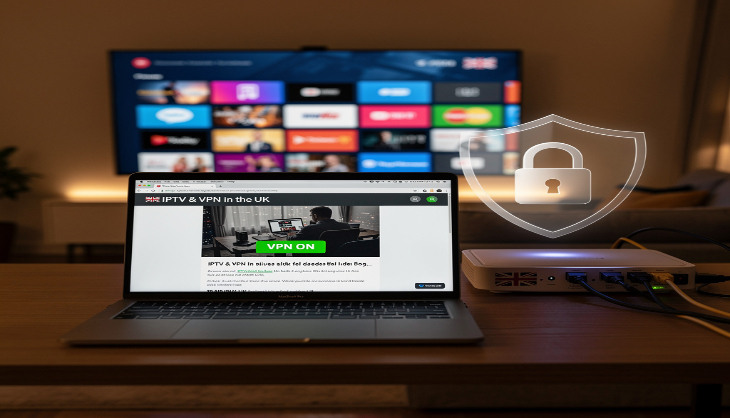
If you've spent any time in IPTV forums or streaming communities, you've probably seen the debate. Half the people say you absolutely must use a VPN with IPTV, full stop, no exceptions. The other half say it's completely unnecessary and just adds lag. Both sides are partly right, and neither is telling the whole story.
The real answer depends on what you're actually trying to do. So instead of giving you a blanket yes or no, let's go through the genuine reasons someone in the UK might want one, and the equally genuine reasons plenty of people get on fine without one.
The basics of what a VPN does to your connection
A VPN encrypts your internet traffic and routes it through a server in a location of your choosing. Your internet service provider sees encrypted data going to a VPN server. They can't see which sites you're visiting, which streaming services you're connecting to, or what content you're watching. That's the fundamental thing it does.
The trade-off is that your traffic takes a longer route to reach its destination. Instead of going directly from your home to the IPTV servers, it goes from your home to a VPN server, and then on to the IPTV servers. That extra hop introduces latency. How much depends on where the VPN server is and how busy it is at the time.
Does IPTV in the UK require a VPN to work
No. If you've got a paid subscription to a legitimate IPTV service, it works the same way as any other streaming service. You log in, the channels load, you watch. There's no technical barrier that a VPN removes for standard use. The streams come through your broadband connection just fine without any extra software in the middle.
Most people in the UK using a proper IPTV subscription never bother with a VPN and never have any reason to. Their streams are stable, their connection is direct, and adding a VPN would just be an unnecessary complication and an extra monthly cost.
ISP throttling is real and it does affect some UK viewers
This is the most legitimate practical reason to consider a VPN, and it's more relevant in the UK than many people realise. Some British ISPs use traffic management policies, particularly during peak evening hours, which is exactly when most people want to watch sport or catch a live event.
What this looks like is frustrating and weirdly specific. Your broadband speed test comes back perfectly healthy, 50Mbps or more, but your streams buffer. You restart everything and it's fine for a bit, then degrades again right around 8 or 9 in the evening. That pattern is a classic sign of traffic shaping on your ISP's end rather than anything wrong with your IPTV service.
When a VPN is running, your ISP can only see encrypted data flowing to a VPN server. They can't identify it as video streaming traffic, so any throttling rule that targets streaming traffic specifically doesn't apply. A lot of people who switched on a VPN specifically to test this saw an immediate improvement in stream quality during peak hours. It's not guaranteed to work, but if throttling is your problem, it's the most direct solution.
Public Wi-Fi and why it matters for mobile IPTV
One situation where a VPN is genuinely worth using regardless of IPTV is when you're on public WiFi. Hotels, airports, coffee shops, and pub networks are notoriously easy to monitor. Anyone with basic tools and access to the same network can see unencrypted traffic passing through it.
If you're watching IPTV on your phone or tablet while you're out, a VPN keeps your streaming activity and login credentials private. This isn't specific to IPTV, it's just good practice for any sensitive activity on a shared network. The security argument for a VPN on public Wi-Fi is solid regardless of what you're using it for.
What about watching content from other countries
This comes up often in VPN discussions and it's worth separating from the main IPTV question. If you want to access a streaming service or channel that's only available in a specific country, you can use a VPN to appear as though you're browsing from that location. Connect to a server in the USA and you can access American streaming libraries, for example.
That's a legitimate use of a VPN, but it's a separate thing from whether IPTV itself requires one. A good IPTV subscription already includes international channels from across the globe, so for most UK viewers there's actually no need to geo-hop because the content is already in the package.
Free VPNs will make your streaming worse not better
If you're thinking about trying a free VPN just to see whether it makes any difference to your streams, be warned: it almost certainly won't, and it might actively make things worse. Free VPN services have a limited number of servers shared among a huge number of users. The speeds are poor, the connections are inconsistent, and the privacy benefits are questionable because many free providers make money by logging and selling user data.
You'd essentially be swapping your ISP potentially seeing your streaming traffic for a different company definitely logging it and selling it on. That's not a privacy win. If a VPN is worth using at all, it's worth paying for a decent one. The reputable ones cost between £3 and £8 a month and the speed difference compared to free versions is significant.
Setting up a VPN on different devices
The setup process varies a bit depending on what you're watching on. Firestick users can grab a VPN app directly from the Amazon App Store, it takes about five minutes to install and connect. Android phones and tablets are similar, just download from the Play Store. iPhones and iPads are supported by all the major VPN providers through the App Store.
Smart TVs are slightly trickier. Some Samsung and LG models support VPN apps natively but many don't. The most reliable option for Smart TVs and any other device that doesn't have app support is setting the VPN up at the router level. Once it's running on the router, every device connected to your home Wi-Fi is automatically covered. It takes more effort to set up initially but you only do it once.
Will a VPN slow down your picture quality
It can, and whether it does depends on a few things. The most important factor is the distance between you and the VPN server you connect to. Connecting to a server in London when you're in Manchester adds almost no noticeable latency. Connecting to a server in Australia adds a lot.
Always connect to the nearest available server for streaming. Most VPN apps show you the response time for each server before you connect, so it's easy to pick the fastest one. On a reasonably fast broadband connection, say 30Mbps or above, a nearby server adds so little overhead that you won't notice a difference in stream quality at all.
The encryption processing itself is negligible on modern devices. Phones and laptops have more than enough processing power to handle it without breaking a sweat. The latency from routing is the only thing that might affect you, and that's solved by picking a nearby server.
IPTV apps and VPNs work together without any special setup
Apps like IPTV Smarters, GSE Smart IPTV, and TiviMate don't need any special configuration to work alongside a VPN. You simply turn the VPN on first, then open your IPTV app, and everything functions exactly as normal. The app connects to your provider's servers and the VPN wraps that traffic in encryption. There's nothing to change in the app settings themselves.
One setting to be aware of in your VPN app is the kill switch. This cuts your internet connection entirely if the VPN drops unexpectedly. Whether you want that on depends on your priorities. For general security it's a good feature. For uninterrupted live sport it can be annoying if your VPN has a momentary hiccup midmatch.
So do you actually need one
Honestly, most UK viewers with a solid broadband connection and a paid IPTV subscription don't need a VPN to get a great experience. The streams come through without one, the quality is good, and it's one less thing to manage and pay for.
Where a VPN earns its place is if you're noticing consistent buffering during peak hours that doesn't match your actual internet speed, or if you regularly watch on public Wi-Fi. In those specific situations it's a practical solution to a real problem. Test your streams without one first, and only add a VPN into the mix if you're actually running into issues that suggest you need it.