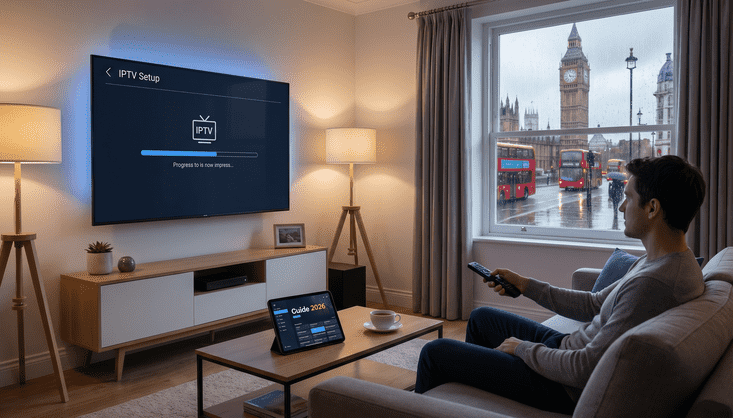
Why Smart TV Owners in the UK Are Ditching Cable in 2026
You've already got a Smart TV sitting in your living room. You're probably paying somewhere between £50 and £80 a month for channels you scroll past every night. And someone's told you that IPTV on Smart TV is where it's at right now. They're right. And the best part? You don't need a Firestick, an extra box, or an engineer visit to make it work.
This guide covers exactly how to get it done on Samsung, LG, Sony, and other brands in the UK. Step by step, no fluff.
What You Actually Need Before You Start
Three things. A Smart TV that supports third-party apps, a broadband connection of at least 25 Mbps for HD or 50 Mbps if you want 4K, and a reliable IPTV subscription. That's genuinely it.
The broadband speed is what most people underestimate. You might have a 100 Mbps package coming into the house but if three other people are streaming at the same time, your available bandwidth drops fast. A wired ethernet connection beats Wi-Fi every time for IPTV. If you can run a cable from your router to the TV, do it before anything else.
How to Set Up IPTV on a Samsung Smart TV
Samsung is the most popular Smart TV brand in the UK so let's start here. The most reliable way to run IPTV Smart TV UK on a Samsung is through an app called Smart IPTV or IPTV Smarters Pro. Both are solid. Both work well.
Open the Samsung app store, search for IPTV Smarters Pro, and install it. Once it's in, open the app and enter the details your provider sent you when you signed up. That's usually a username, a password, and a portal URL. Some providers give you an M3U link instead, which you paste directly into the app. Either way you're watching live TV in under five minutes.
If your Samsung model doesn't show certain apps in the store, it's almost always a regional restriction. You can change the region in the TV settings or use the browser method instead. Your provider's support team will help you through it if you get stuck.
How to Set Up IPTV on an LG Smart TV
LG runs on WebOS, which handles things slightly differently. The app you want here is IPTV Smarters Pro, available through the LG Content Store. The setup is nearly identical to Samsung. Install the app, enter your subscription credentials, and the channel list loads automatically.
LG's platform is actually really clean for this. The remote navigates EPG guides well and if your LG TV is from 2020 onwards it handles 4K streams without breaking a sweat. Older models work fine too, just keep it to HD and you won't see any buffering.
One thing specific to IPTV LG TV UK setups: update your TV's firmware before you install anything. An outdated system version causes more app crashes than any other reason.
How to Set Up IPTV on a Sony or Android TV
Sony Smart TVs run Android TV, which is brilliant for IPTV. You've got access to the full Google Play Store, so you can install almost any player without workarounds.
IPTV Smarters Pro and TiviMate are both available on Android TV and both are excellent. TiviMate in particular has a proper TV guide layout that makes channel browsing feel natural. The process is the same as everywhere else. Install, enter credentials, done.
Android TV also lets you run a VPN directly on the device if you ever need one, which Samsung and LG don't always make straightforward.
What to Look for in an IPTV Provider for Your Smart TV
This is the part most guides skip over and it's the most important bit. A good best IPTV for Smart TV experience starts and ends with your provider. Buffering is almost never a TV problem. It's almost always a server problem.
You want a provider that prioritises UK channels, has strong server uptime, supports multiple connections if you've got more than one TV in the house, and has an actual support team you can reach. A cheap £5 a month service with overloaded servers will freeze on you every Saturday night during the Premier League. Every single time.
If you want to skip the research and go straight to something built for UK viewers, take a look at LuxStreams UK plans here. Everything is designed around UK content with the channels you actually want at the front of the list.
Troubleshooting Common Smart TV IPTV Problems
If your streams are buffering, check your actual internet speed during peak hours. Between 7pm and 10pm your delivered speed is often well below your headline package speed. Switch to ethernet and test again before you blame anything else.
If the app keeps crashing, clear the cache in your TV's app settings and do a full cold reboot. Not standby. Fully off, wait ten seconds, back on. That fixes about half of all Smart TV app issues without needing to touch anything else.
If specific channels won't load, it's almost certainly a provider server issue. A quality service resolves these within an hour or two. If it's happening constantly, you're with the wrong provider.
Is a Smart TV the Best Device for IPTV?
For most people, yes. You don't need extra hardware, the TV is already there and already connected, and modern Smart TVs handle IPTV Samsung TV UK and LG setups without any real limitations.
The only slight downside is that Smart TV apps sometimes update slower than Firestick or Android box apps. If you want the absolute maximum control over your setup, a dedicated Android box edges it. But for a normal household watching normal telly, your Smart TV does everything you need it to.
Get Started Today
The actual setup takes about ten minutes once you've got your subscription sorted. The hardest part is choosing the right provider and not wasting time on a service that's going to let you down on a big night. Check out LuxStreams plans here, get set up this evening, and cancel that Sky direct debit before the month is out.