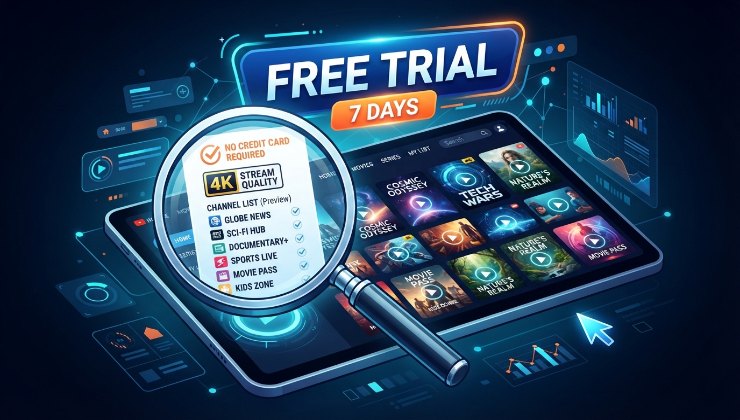
A free trial iptv period sounds like a small thing, but it is honestly the most useful tool a household has when deciding whether a service is worth paying for. The trouble is that most people waste it. They load the app, flick through a few channels for ten minutes, decide it looks fine, and sign up for a full year without ever testing the situations that actually matter, like a Saturday evening with the whole family streaming different things in different rooms. This guide walks through what a trial period is genuinely useful for and how to make the most of it before committing any money.
Test During Peak Hours, Not Quiet Ones
The single biggest mistake people make during a trial is testing at the wrong time. A service can look flawless at eleven in the morning on a Tuesday and fall apart completely on a Friday evening when demand across the entire network spikes. If the household mainly watches football, the trial should include at least one live match during a busy kick off slot. If it is mainly used for box sets and films in the evening, test it during prime time hours when everyone else is also streaming.
Peak hour testing reveals server capacity issues that a quiet afternoon simply will not show. Any provider can look good when nobody else is using the network. The real test is whether it holds up when it matters.
Check the Picture Quality Across More Than One Device
Households rarely stream from a single device anymore. Someone is watching on the main television, someone else has a tablet upstairs, and a laptop might be running in the background. During a trial, it is worth checking picture quality and stability on every device the household actually owns rather than assuming that a good result on one screen means the same experience everywhere. A service that performs beautifully on a smart telly app can sometimes stutter on an older Firestick, and the difference is only obvious once you actually test both.
It also helps to check whether multiple streams can run at the same time without one connection dragging the others down. This is one of the more common limitations that only becomes obvious once a trial is put under genuine household conditions rather than a single test on one screen.
Look at the Electronic Programme Guide Properly
A programme guide that is inaccurate or out of date sounds like a minor annoyance until it actually affects daily viewing. If the guide shows the wrong programme times, it becomes far harder to plan an evening around something specific, and it often signals that the underlying data feed behind the service is not being maintained properly. During a trial, it is worth comparing a handful of listed programme times against the actual broadcast schedule to see how closely they line up.
This is a small detail that many reviews skip entirely, yet it says a lot about how much attention a provider puts into the everyday experience rather than just the flashy parts of the service.
Contact Support Before You Need To
Most people only find out how good support actually is once something has already gone wrong, which is the worst possible time to be testing it. A far smarter approach is to send a simple question to the support team during the trial itself, before there is any real pressure involved. How long it takes to get a genuine, useful reply, rather than an automated message, gives a fairly reliable preview of what to expect if a real problem comes up later.
A provider that responds quickly and clearly during a trial period, when there is nothing at stake yet, is far more likely to do the same once a paying customer is relying on them during an actual outage. Start a free trial with LuxStreams here and try sending a support question early on as part of the overall test.
Do Not Rely on Screenshots Shared by the Provider
Marketing material almost always shows the app in perfect conditions, on a strong connection, captured on the best possible device available. This is not dishonest exactly, but it is not representative of what most households will actually experience either. The only way to know what the interface genuinely looks and feels like during real use is to run it yourself, on your own television, with your own broadband, during a normal evening rather than a carefully staged demonstration.
This is precisely why a free trial iptv period matters so much more than any promotional image or video ever could. It removes the polish and shows the service exactly as it will behave once the excitement of signing up has worn off and it simply becomes part of the household's everyday routine.
Understand What Happens After the Trial Ends
Some trial periods roll automatically into a paid subscription unless cancelled manually, while others simply expire and require an active decision to continue. Before starting any trial, it is worth reading exactly how the transition works, since this avoids the unpleasant surprise of an unexpected charge on a card. A provider that is upfront about this in plain language, without burying it in small print, is generally a good early sign about how the rest of the relationship will go.
It is also worth checking whether the trial requires full payment details upfront or whether it can be tested without that step. Services confident in their own quality tend to make the process straightforward rather than relying on people forgetting to cancel.
Pay Attention to How the App Handles Reconnections
Every streaming service loses connection occasionally, whether from a brief network blip or a short server hiccup. What separates a well built app from a poorly built one is how gracefully it recovers. A good app reconnects within a few seconds and picks the stream back up close to where it left off. A poorly built one might freeze entirely, force a full restart of the app, or drop back to the home screen and lose the channel that was playing. During a trial, it is worth deliberately testing this by switching wifi networks or briefly disabling the connection to see how the app responds when it comes back online.
This small detail rarely gets mentioned in reviews, yet it has a real impact on how frustrating or seamless day to day viewing feels, especially in households where the internet connection is not always perfectly stable.
Check Whether Catch Up and On Demand Content Actually Works
Live channels tend to get most of the attention during a trial, but catch up television and on demand libraries are just as important for many households. It is worth testing whether recently aired programmes are actually available to watch back, how quickly they appear after broadcast, and whether the on demand library is updated regularly or left stagnant for months at a time. A service that handles live channels well but neglects catch up content is only giving half the experience most households actually want.
It also helps to check playback quality specifically on catch up content, since some providers noticeably reduce bitrate on recorded programmes compared with live streams, which becomes obvious the moment something is watched in full screen on a larger television.
Compare More Than One Service Before Deciding
It is tempting to sign up with the very first service that comes up in a search and stop looking once the trial seems reasonably good. A better approach is running two or three trials across different providers over the space of a couple of weeks, using the same checklist each time. This makes it far easier to spot genuine differences in stability, support, and picture quality rather than judging a single service in isolation with nothing to compare it against.
Community forums and social media groups focused on streaming in the UK are a useful place to see which services consistently perform well during big events, since patterns tend to repeat across many different households rather than being one off complaints.
Ask About Simultaneous Streams Before You Need Them
Many households assume a subscription covers the whole family until someone tries to watch a different channel in another room and finds the stream simply will not start. The number of devices allowed to stream at once varies significantly between providers, and it is rarely advertised as clearly as channel count or price. During a trial, it is worth actually testing this limit rather than assuming it will be enough, especially in a household with teenagers who tend to stream independently on their own devices at the same time as everyone else.
It is also worth checking whether the simultaneous stream limit applies per account or per household connection, since the two work quite differently in practice and this distinction is often buried somewhere in the terms rather than explained upfront.
Read Independent Feedback, Not Just the Provider's Own Page
A provider's own website will naturally present the best possible version of the service, which is fair enough, but it should never be the only source used before deciding. Independent forums, social media groups, and long running community threads tend to give a far more balanced picture, including the complaints that never make it onto a polished homepage. Reading through a handful of these before or during a trial helps set realistic expectations rather than relying purely on marketing copy.
It is particularly useful to search for how a provider handled a recent major outage or a significant sporting event, since this tends to reveal far more about reliability than anything written on the official site itself.
Making the Trial Count
A trial period only does its job properly when it is treated as a genuine test rather than a quick glance. Testing during busy hours, checking every device in the house, contacting support early, and understanding the cancellation process before committing all take a small amount of extra effort, but they save far more time and money than discovering these issues after a full subscription has already been paid for.
It also helps to keep a short note of everything tested during the trial, even something as simple as a few lines jotted down after each viewing session. Looking back at these notes a week later, once the initial excitement of a new service has worn off, tends to give a far more honest picture than relying purely on memory. Small annoyances that seemed forgettable on day one often turn out to be the same issues that eventually push someone to cancel a subscription months down the line, and spotting that pattern early during the trial is exactly the point of testing properly in the first place.
Try LuxStreams free here and run it through the checklist covered in this guide before making any longer term decision about a subscription.