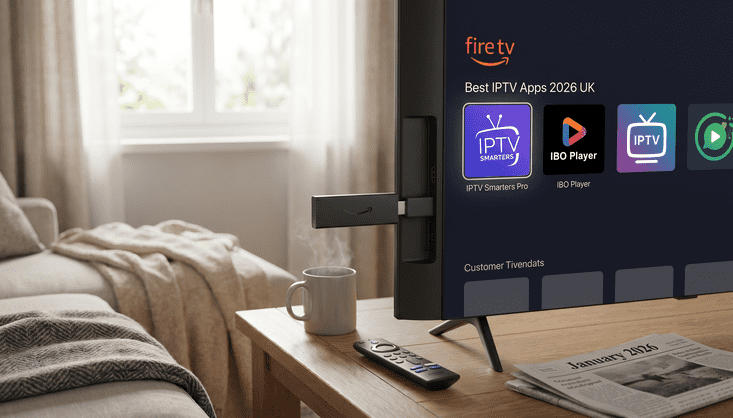
You've Got a Firestick. Now You Need the Right App
So you've sorted your Firestick, found yourself a decent IPTV subscription and you're ready to get watching. The one thing standing between you and your telly is the app. And whilst it might seem like a minor detail, picking the wrong one genuinely makes a difference. A bad app on a good subscription is like having a great chef cook your dinner and then serving it on a paper plate.
In 2026 there are three IPTV apps for Firestick that keep coming up when people talk about what actually works: IPTV Smarters, IBO Player and Hot Player. Each one has its own strengths and they suit slightly different types of viewers. This is a straight talking look at all three so you can make the right call without wasting an afternoon testing them all yourself.
IPTV Smarters Pro: The One Everyone Knows
IPTV Smarters has been around long enough to become the default recommendation for anyone setting up IPTV on a Firestick in the UK. It's not perfect but it's reliable, well supported and does everything you'd expect a proper IPTV app to do without any fuss.
You log in with your subscription details or your M3U link, and within a minute you're browsing your channel list. The EPG loads up cleanly when your provider supports it, catch up works well if that's included in your package, and you can manage multiple playlists if you've got more than one service on the go. For UK viewers with a full channel lineup including the main terrestrial channels and sports packages, it handles everything without breaking a sweat.
You won't find it on the Amazon app store so you'll need to sideload it, which sounds more complicated than it is. Honestly it takes about ten minutes the first time and you'll wonder what you were worried about. It's one of the most popular IPTV player apps for Firestick users in the UK right now and that reputation is well earned.
IBO Player: Cleaner Interface, Lovely on a Big Screen
If IPTV Smarters is the reliable workhorse, IBO Player is the one that actually looks the part. The interface is noticeably more polished and if you're watching on a large telly in the front room, that does matter. Nobody wants to squint at a cluttered menu when they're trying to find the match.
Channel switching is fast, the app doesn't drag when you're scrolling through a long list, and the EPG display is genuinely one of the nicest you'll come across across any IPTV app for Firestick available to UK viewers in 2026. It supports both M3U playlists and Xtream Codes logins so whatever setup your provider uses, IBO Player will handle it.
It's slightly newer than Smarters which means there's a bit less community chatter around it, but that gap has closed considerably this year. For anyone who cares about how their app looks and feels day to day, IBO Player is well worth trying. Setup is identical to Smarters, sideload it, enter your credentials, and you're sorted.
Hot Player: Lightweight and Surprisingly Capable
Hot Player is the one that doesn't get enough credit. It's lighter on resources than the other two and on a Firestick that matters more than people realise. The device isn't particularly powerful and a heavy app can cause buffering and slowdowns that have nothing to do with your internet connection or your provider.
The design is minimal, some might say a touch basic, but it loads quickly, gets out of your way and just plays your channels without drama. Picture quality comes through well when your connection is up to scratch and the video player handles different stream formats without complaining. It's not trying to impress you with fancy menus, it's just trying to let you watch telly. Which, when you think about it, is exactly what you want.
If you've got an older Firestick model or you've had issues with the other apps feeling sluggish, Hot Player is genuinely worth a go. Sometimes the straightforward option is the right one.
Which App Should You Go With?
Right, the short version. New to IPTV and want the most support and documentation behind you? Start with IPTV Smarters. Want something that looks great on your big screen with a smooth EPG? Try IBO Player. Got an older Firestick or just want something lightweight with no nonsense? Hot Player is your one.
All three work well with a quality subscription. The app is just how you access your content. What actually determines whether your streams are smooth, your channels load quickly and your picture stays sharp is the provider behind it all. A dodgy IPTV service will let you down no matter which app you're using. A solid one will shine through any of these three.
Your IPTV Service Matters Just as Much as the App
Before you spend time picking the perfect best IPTV app for Firestick, make sure the subscription you're pairing it with is actually worth having. For UK viewers you want a provider that covers the full range of British channels, handles live sport reliably and doesn't go to pieces when half the country is watching the same match at the same time.
Multiple connections are important too. If you've got a telly in the lounge and someone watching on a tablet upstairs, you need at least two streams running simultaneously without either one buffering. Anti freeze technology for live sport is a must as well. Nobody wants their stream to freeze at the 90th minute.
Have a look at the LuxStreams pricing plans and see what suits your household. The options are clear and there's no long winded commitment to worry about.
Sideloading on a Firestick Is Easier Than It Sounds
A lot of people go a bit wobbly when they hear the word sideloading. It sounds technical and a bit dodgy. It isn't either of those things. You go into your Firestick settings, allow apps from unknown sources, download the Downloader app from the Amazon store, use it to grab whichever IPTV player you've chosen, and log in with your subscription details. Start to finish it's about ten minutes.
Once it's set up you won't need to touch any of that again. Your app just sits there on the home screen and you open it like anything else. The best IPTV apps for Firestick are built with regular people in mind, not tech enthusiasts, so they're designed to be simple once you're past the initial install.
When Things Go Wrong, It's Usually Not the App
Here's something worth knowing before you start blaming the app when something doesn't work right. Buffering, pixelation, channels dropping out, these things almost never come from the app itself. They come from your broadband connection, your provider's servers or your Firestick having too much running in the background at once.
Before you uninstall and reinstall everything, try clearing the app cache and giving your router a restart. If it keeps happening, have a word with your IPTV provider because the issue is almost certainly on their end. That's why it's worth starting with a reliable service in the first place. Head over to the LuxStreams app page to see which apps work best with the service and how to get set up properly.
The Bottom Line
IPTV Smarters, IBO Player and Hot Player are all solid choices for UK viewers in 2026 and any one of them will do the job well on a Firestick. The differences come down to personal taste, how much you care about interface design and how much grunt your particular Firestick model has. Give one a try, live with it for a week, and if it's not quite right for you, switching takes no time at all.
Just remember that the app is only half the story. Getting your subscription right is what actually determines how good your viewing experience is day to day. Have a browse through the LuxStreams plans, get yourself sorted and then pick your app. You'll be watching in no time.