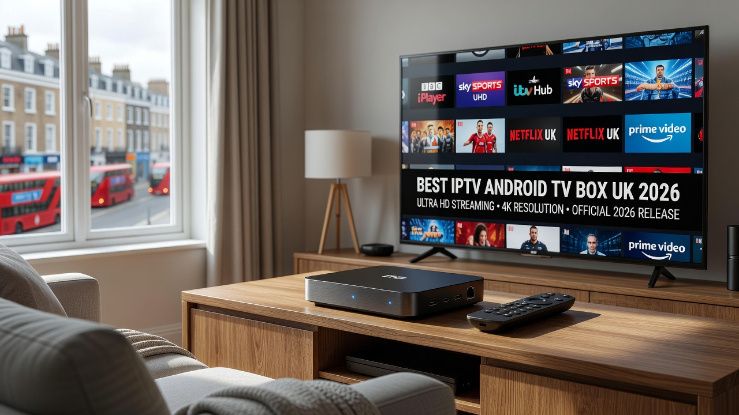
The Android TV box quietly became the best way to watch IPTV in the UK, and most people still haven't realised it. While everyone's talking about Firestick, the Android box is sitting there offering more storage, more processing power, a proper app store with no sideloading required, and the kind of flexibility that Amazon simply won't give you on their own hardware. If you're serious about IPTV and you haven't looked at an Android box properly, you're missing out.
That said, not all Android TV boxes work equally well with IPTV, and not all IPTV services are set up to get the best out of the hardware. This guide covers both. We'll go through what makes a good Android box for IPTV in 2026, which apps work best on the platform, and what to look for in a service so you're not paying for something that buffers through every Premier League match.
Why Android TV Boxes Work So Well for IPTV
The honest reason is that Android TV boxes aren't locked down the way Amazon and Apple devices are. Amazon's Fire OS is Android underneath, but it's heavily restricted to push you towards Amazon's own content ecosystem. An Android TV box running stock Android TV or Google TV doesn't have that problem. You can install any IPTV app directly from the Google Play Store, configure it exactly how you want, and the device isn't constantly trying to redirect you somewhere else.
The hardware matters too. A decent Android TV box in 2026 runs on a processor that handles 4K streams without breaking a sweat. Entry level Firesticks still struggle with heavy streams and can get warm during long viewing sessions, which affects performance. A mid range Android box with 4GB of RAM and a proper octa core chip handles multiple apps running simultaneously, picture in picture mode, and heavy IPTV streams without the stuttering you sometimes get on underpowered streaming sticks.
Storage is another real advantage. A standard Firestick Lite ships with 8GB of storage and you'll burn through that quickly once you have a few apps installed. Android boxes typically come with 32GB or 64GB, which means you can have your IPTV app, a catch up app, a media player, and a VPN client all installed at the same time without constantly managing space.
What to Look For in an Android TV Box for IPTV
There are a lot of Android boxes on the market and quality varies enormously. Here's what actually matters for IPTV specifically, rather than the spec sheet numbers that look impressive but don't translate to a better viewing experience.
RAM is more important than most buyers realise. 2GB is the absolute minimum and even that will feel sluggish if you're switching between apps frequently. 4GB is the sweet spot for 2026. You'll notice the difference immediately when switching from your IPTV app to a browser and back, or when the EPG is loading in the background while you're already watching something.
The processor matters for 4K content specifically. Not all Android boxes that claim to support 4K actually decode it properly. A box with an Amlogic S905X4 or a Rockchip RK3566 chip handles 4K HEVC streams properly, which is what most high quality IPTV channels use for their top tier feeds. Cheaper boxes often have processors that technically support 4K but struggle with HEVC decoding and end up dropping frames.
Make sure the box supports Widevine L1 certification if you ever want to watch Netflix or other DRM protected content alongside your IPTV. A lot of cheaper Android boxes only support Widevine L3, which means Netflix is limited to 480p resolution. This doesn't affect IPTV streams directly, but if you want one box that does everything, Widevine L1 matters.
Ethernet connectivity is something people overlook. Most IPTV problems come down to network stability rather than anything wrong with the service. An Android box with a proper Gigabit Ethernet port, used with a wired connection, eliminates the WiFi variables that cause intermittent buffering. If your router is in a different room and you're relying on 5GHz WiFi, even good WiFi, you will occasionally see issues that a wired connection would have prevented entirely.
The Best IPTV Apps for Android TV Boxes in the UK
This is where Android boxes genuinely pull ahead of everything else. You have proper access to the Google Play Store, which means clean installs, automatic updates, and no messing about with APK files or developer mode settings.
IPTV Smarters Pro is the most popular choice and for good reason. The interface is clean, it handles M3U playlists and Xtream Codes logins equally well, the EPG integration works properly, and it's stable on Android TV hardware. The paid version removes ads and adds a few quality of life features. If you've never used IPTV before, this is the easiest starting point.
TiviMate is what most experienced IPTV users end up on. The UI is closer to a traditional TV guide, which makes it feel more natural if you're coming from a Sky or Virgin background. It handles large channel lists smoothly, the EPG is fast and reliable, and the catch up functionality works well when your IPTV provider supports it. The premium version at a couple of pounds a month is genuinely worth it.
GSE Smart IPTV is worth knowing about as a backup option. It's not quite as polished as TiviMate but it handles problematic streams that other apps sometimes struggle with. Some IPTV providers use non standard stream formats that TiviMate occasionally chokes on, and GSE handles them without complaint.
What to Actually Look For in an IPTV Service for Your Android Box
The device is only half the equation. A great Android box with a poor IPTV service is still going to give you a frustrating experience. Here's what separates a good UK IPTV service from a mediocre one when you're watching on an Android box.
Anti freeze technology is something that sounds like marketing language but actually means something specific. Proper IPTV providers run redundant server infrastructure so that when one stream source has a problem, you're automatically switched to a backup without seeing it buffer. Cheaper providers run everything through a single server path, which means any problem on their end becomes your problem immediately.
UK channel quality is the obvious one but it goes deeper than just having BBC One and ITV. You want BBC One HD, ITV HD, Channel 4 HD, and Sky Sports in full HD as a baseline. But what about BBC Two HD? What about the regional ITV variants? What about BT Sport? These channels separate the services that have genuinely invested in UK content from ones that have bolted a handful of UK channels onto an otherwise international playlist and called it a UK service.
Catch up and replay is a feature that Android boxes handle particularly well, but only if your IPTV service actually supports it properly. Being able to go back and watch something you missed from earlier in the week is one of the things that makes IPTV genuinely better than a basic cable package, not just cheaper. Check whether the service offers catch up before you sign up, and during any trial period, actually test it on a few channels to make sure it works rather than just existing as a menu option.
Multiple connections matter if you have more than one TV or want to watch on your phone while someone else uses the living room box. Most decent IPTV plans offer two or more simultaneous connections. Check this before you commit because adding a second connection later is often priced as a separate subscription rather than a small upgrade fee.
Setting Up IPTV on Your Android Box Properly
A lot of people set up IPTV in a way that works but isn't optimised, and then blame the service or the hardware when the real issue is configuration. A few things that make a meaningful difference.
Use Ethernet if you possibly can. We mentioned this already but it's worth repeating because it solves so many problems. If you can run a cable from your router to your Android box, do it. If you can't, make sure your box is on the 5GHz WiFi band rather than 2.4GHz and as close to the router as practical.
Set your display output to match what your TV actually supports rather than just leaving it on auto. Some Android boxes default to 1080p even when your TV supports 4K, or vice versa. Going into the display settings and setting the correct resolution and refresh rate for your TV makes a genuine difference to picture quality.
In your IPTV app, set the buffer size to a value that matches your connection. Most apps default to a fairly small buffer that works fine on fast connections but causes visible buffering on slower or less stable ones. Increasing the buffer size to around 5 to 10 seconds adds a small delay when you change channels but means live streams stay smooth even if your connection has brief fluctuations.
Keep your app updated. IPTV apps release updates regularly because IPTV providers occasionally change their stream formats or authentication methods. Running an outdated version of your IPTV app is a common cause of streams that suddenly stop working for no obvious reason.
Android Box vs Firestick for IPTV: The Honest Verdict
If you're happy with a Firestick and it works for your needs, there's no urgent reason to switch. But if you're having any of these problems, an Android box is likely the fix: channels that buffer during busy periods, an app that crashes or freezes occasionally, running out of storage, or wanting 4K streams that actually look like 4K.
The price difference isn't massive either. A decent Android TV box costs between £40 and £80 depending on the spec. That's more than a basic Firestick but less than a month's Sky subscription. For what you get in terms of performance and flexibility, it's a reasonable investment if IPTV is going to be your main TV setup.
The combination of a good Android box and a reliable UK IPTV subscription is genuinely hard to beat in 2026. You're looking at full HD sports, hundreds of UK and international channels, catch up TV, and on demand content, all through a device that fits in the palm of your hand and doesn't require a dish on your roof or an engineer visit to set up. That's a pretty good deal.